My role
UX/UI Designer — Designed user search flows, gesture/haptic interactions, and AR calling features.
Team
Founders, 3 Product Managers, AR Developer, 6 Product Designers, Junior Motion Designer
Tools Used
Figma, FigJam, Blender (for 3D mockups), After Effects, ChatGPT
Timeline
6 Months
Designed an AR commerce platform that lets users explore and shop global spaces through immersive 360° experiences. 6 min read
Exploring spaces remotely is often static — maps and videos don’t let users interact or connect meaningfully. Xeniq was designed to make global exploration more human, intuitive, and interactive with 360° AR views so users can explore, gesture, and buy in real time.
What is Xeniq?
Xeniq is an AR-powered platform that brings global spaces to life. Users can explore museums, shops, events, places in 360° AR, connect through calls, and interact with environments using simple gestures like zoom, pinch, or circle.
Instead of being limited to static media, Xeniq empowers users to:
Explore real-world spaces with immersive AR views
Use gestures and haptics for natural interaction
Connect instantly through AR calling and search features
The Problem
Xeniq’s early users struggled with:

This created an opportunity to design structured, intuitive AR flows that simplified interactions, improved clarity, and made exploration feel natural.
Design Goals
To turn these scattered problems into solutions, I focused on a human-centered AR design approach:
Documentation & Research
Scrum & Collaboration
Wireframing & Prototyping
A/B Testing & Iterations
Challenges Faced
01
Search in 360° environments → Context mismatch
02
Haptic feedback tuning → Balance between subtle and disruptive
03
Gesture overload → Risk of confusing users
04
AR calling → Interaction clarity
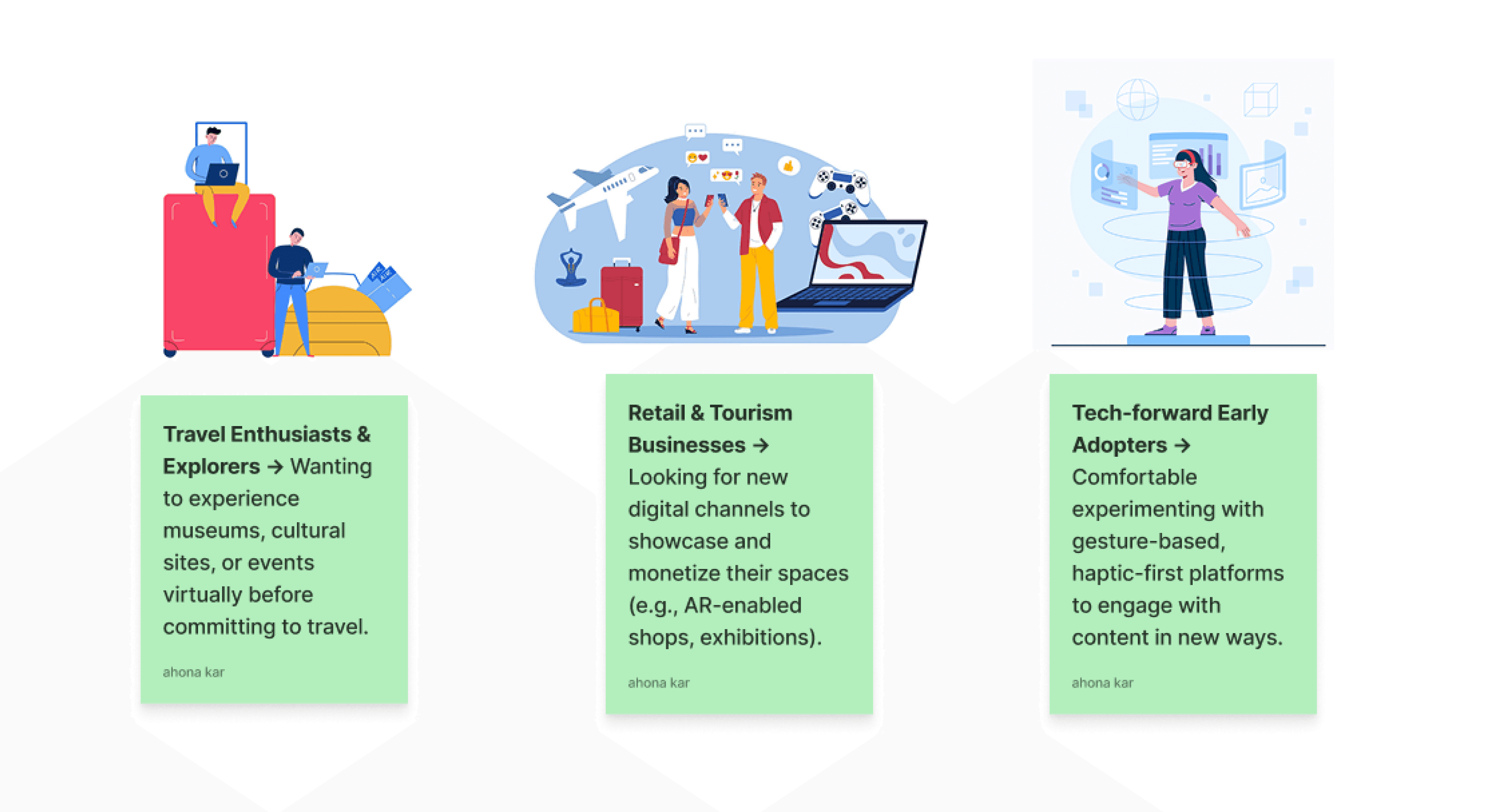
Target Audience
Presto targeted three core user groups:
High Fidelity Screens for Virtual Exploration
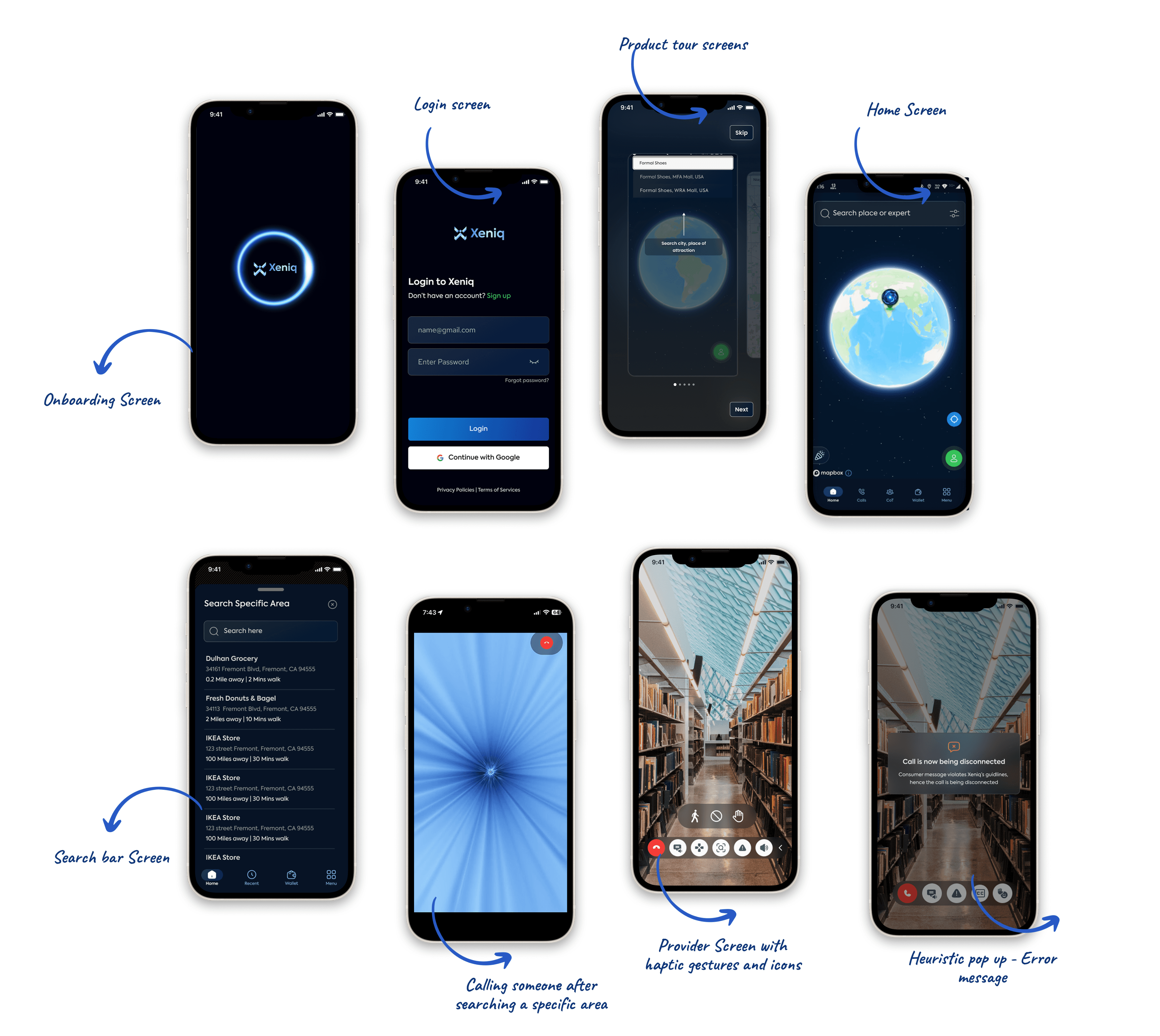
Easy to get started → Simple onboarding and login so anyone can quickly jump into the virtual world.
360° exploration → Browse places and stores in an immersive globe-like view.
Search made simple → Type and instantly find specific areas or stores.
Real interactions → Use gestures (like swiping, pointing, or tapping) to move around and interact with products.
Consistency across devices → Works smoothly on both mobile and desktop so the experience feels familiar anywhere.
Shop smarter → Brands can showcase products in an interactive way without making the experience feel overwhelming.
Key Learnings:
Immersion isn’t enough — trust matters: Users needed clarity in navigation and control to feel comfortable inside virtual spaces.
Gesture-first design → Designing interactions beyond clicks/taps required balancing intuitiveness with learning curves.
Cross-device consistency → Ensuring seamless AR/VR experiences across mobile and desktop was critical for adoption.
Scalable monetization models → Businesses wanted ways to showcase products/services naturally without overwhelming the experience.
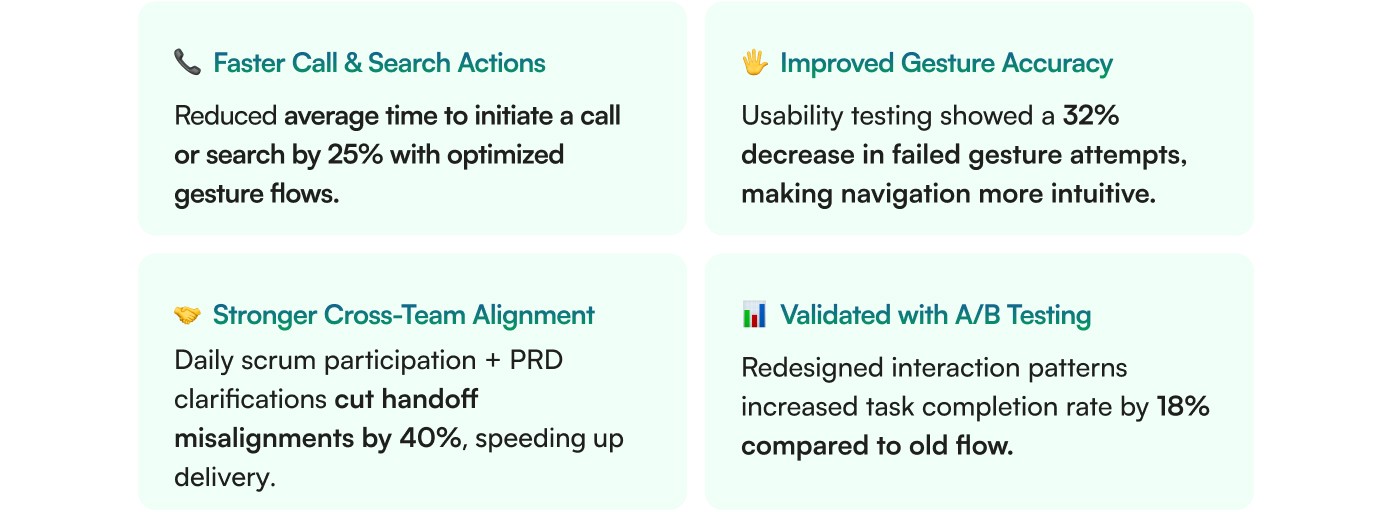
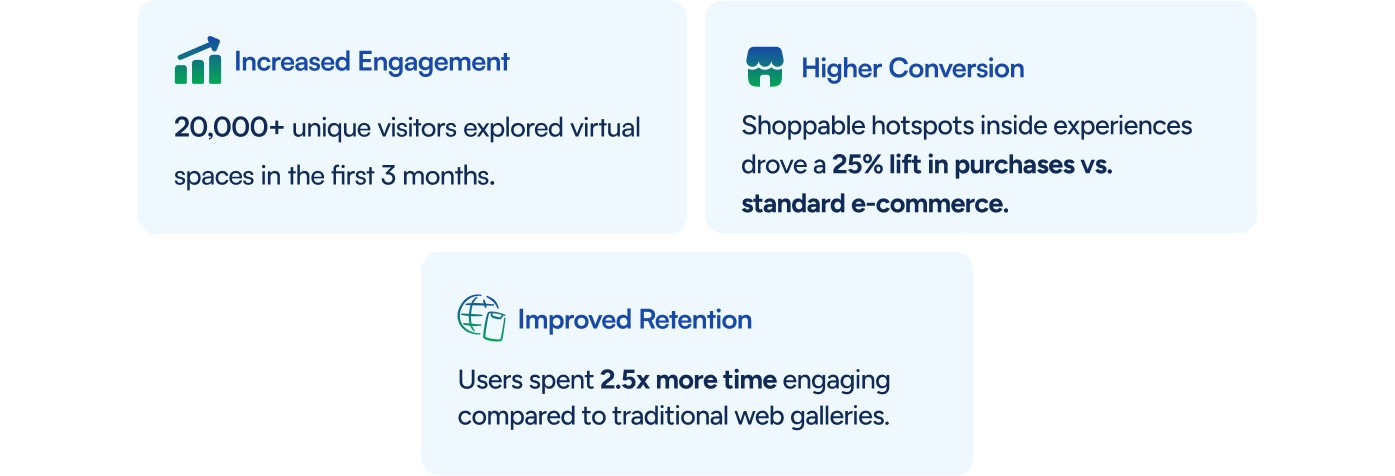
Results:
Future of Xeniq
Smarter AR onboarding → Contextual walkthroughs that adapt gestures/haptics to the user’s comfort level.
Global cultural access → Expanding immersive access to museums, heritage sites, and live events worldwide.
Seamless commerce integration → Building frictionless checkout experiences inside AR spaces.
Inclusive interaction models → Supporting accessibility-first gestures and voice input for differently-abled users.
Thank you for reading till the end!
Xeniq | AR-Powered 360° Immersive Experiences
Business Impact of Xeniq